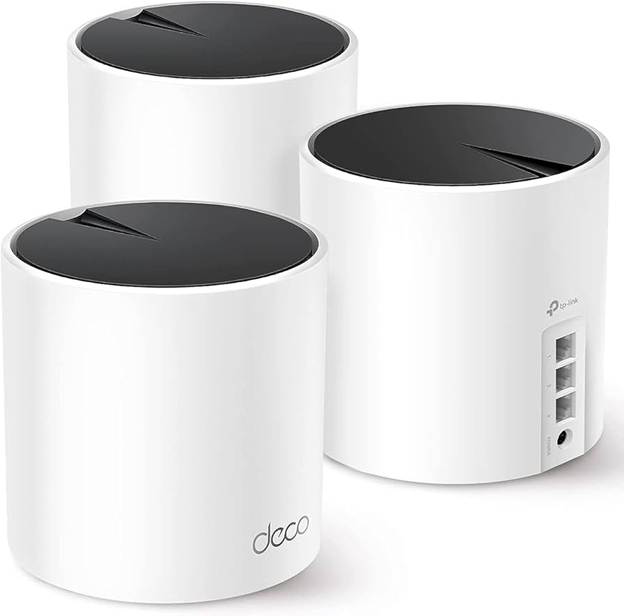
Fix Wi-Fi Lag, Dead Zones, and Extender Problems
If you’re dealing with Wi-Fi lag, dead zones, inconsistent speeds, or devices randomly dropping connections, there’s a good chance the problem isn’t your internet plan — it’s your Wi-Fi setup.
Many people try to solve these issues with Wi-Fi extenders, only to find that things actually get worse. The TP-Link Deco X55 AX3000 Wi-Fi 6 Mesh System is designed to replace extenders entirely and provide consistent coverage across the home — even on 500 Mbps or 1 Gbps internet plans.
This review explains why extenders often fail, how mesh Wi-Fi works differently, and whether the Deco X55 is a good fit for real homes.
Why Wi-Fi Extenders Often Make Internet Worse
Wi-Fi extenders repeat an existing signal. If that signal is already weak or unstable, the extender simply rebroadcasts the problem.
Common extender issues include:
- Dead zones that shift instead of disappearing
- Inconsistent speeds from room to room
- Lag during gaming, streaming, or video calls
- Devices dropping connections or freezing
- Separate Wi-Fi names (SSIDs) that force manual switching
Extenders also add latency because they retransmit data, which can increase lag even when speed tests look fine.
How Mesh Wi-Fi Solves These Problems
A mesh system works as one unified network, not a router plus add-ons.
With mesh:
- Multiple nodes act as full access points
- Devices automatically connect to the best node
- One Wi-Fi name covers the entire home
- Roaming is seamless and automatic
This approach eliminates the handoff and latency problems that extenders introduce.
TP-Link Deco X55 AX3000 Overview
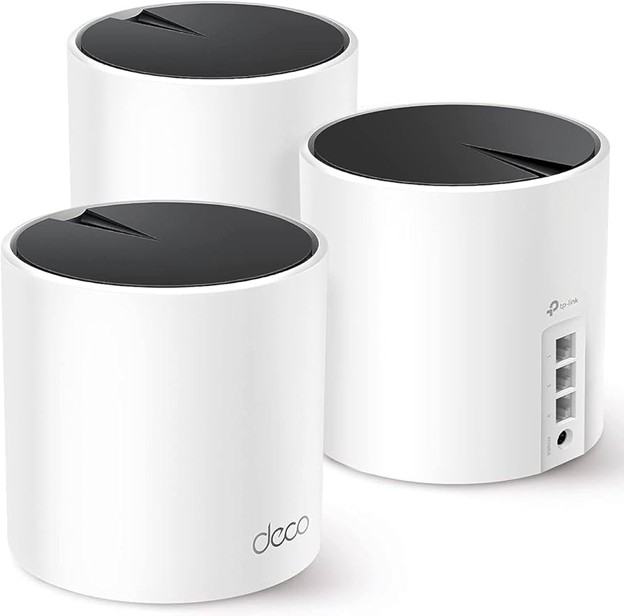
The Deco X55 is a Wi-Fi 6 (AX3000) mesh system, typically sold as a 3-pack rated to cover up to 6,500 square feet.
Key features that matter in real use:
- Wi-Fi 6 for better handling of many devices
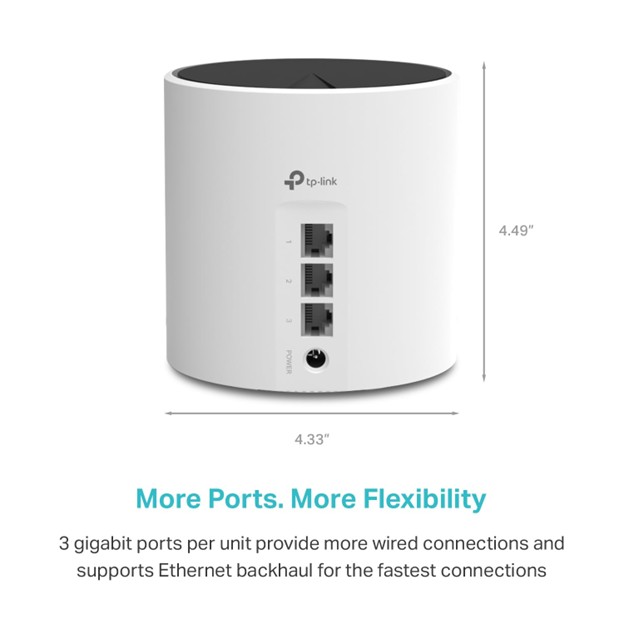
- Three gigabit Ethernet ports per unit
- Ethernet backhaul support
- App-based setup with minimal configuration
Instead of boosting one router harder, the Deco X55 spreads coverage evenly across your home.
Does the Deco X55 Help Reduce Wi-Fi Lag?
Yes — when the lag is caused by Wi-Fi, which is the case in most homes.
The Deco X55 reduces lag by:
- Keeping devices on a single unified network
- Steering devices to the lowest-latency node
- Reducing retransmissions common with extenders
- Supporting Ethernet backhaul, which dramatically lowers latency
You can also plug a gaming console, PC, or TV directly into a Deco node, bypassing Wi-Fi entirely for that device.
If you experience lag spikes when moving between rooms or during peak usage, mesh Wi-Fi usually fixes it.
Performance With 500 Mbps Internet
For a 500 Mbps internet plan, the Deco X55 is an excellent match.
Typical real-world results:
- Wired devices: ~480–500 Mbps
- Wi-Fi near a node: ~350–450 Mbps
- Wi-Fi in distant rooms: ~200–350 Mbps
Streaming, video calls, and gaming remain stable, and lag caused by weak signal areas is greatly reduced.
At this speed tier, the Deco X55 is not the bottleneck — your internet plan is.
Performance With 1 Gbps (Gigabit) Internet
With 1 Gbps service, expectations matter.
Wired performance
Because each Deco unit has gigabit Ethernet ports:
- Wired devices can reach ~940 Mbps
- Ethernet backhaul allows nodes to perform like wired access points
Wi-Fi performance
Wi-Fi will always be slower than wired, but still very strong:
- Near a node: ~600–750 Mbps
- Farther rooms: ~300–600 Mbps
You may not see a full gigabit over Wi-Fi, but you will see consistent speeds with far less lag and fewer drops compared to extenders.
Dead Zones and Large Homes
Dead zones exist because of distance, walls, and layout.
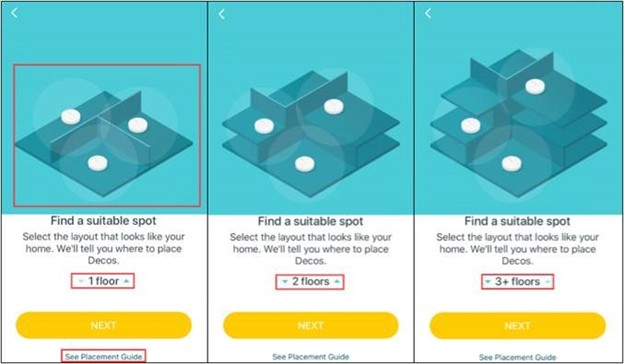
With a Deco X55 3-pack:
- One unit sits near the modem
- Additional units are placed closer to problem areas
- Coverage expands outward instead of weakening
This approach removes dead zones rather than relocating them.
Ethernet Backhaul: A Major Advantage
If your home has Ethernet wiring (or you can run a cable), Ethernet backhaul is a game-changer.
Benefits include:
- Lower latency
- More consistent speeds
- Better performance at far nodes
- Less wireless congestion
The Deco X55 fully supports Ethernet backhaul and still leaves ports available for wired devices.
Who the Deco X55 Is Best For
The Deco X55 is a strong choice if you:
- Currently use a Wi-Fi extender
- Experience lag, buffering, or dropped devices
- Want one Wi-Fi name throughout the house
- Have 500 Mbps or 1 Gbps internet
- Want wired options at mesh nodes
It’s especially useful for homes with:
- Multiple people streaming
- Work-from-home setups
- Gaming consoles
- Smart home devices
When You Might Skip It
You probably don’t need mesh if:
- You live in a small apartment
- Your router already covers every room
- Your main issue is slow ISP speeds, not Wi-Fi coverage
Mesh fixes coverage and stability, not poor internet service.
Final Verdict
If your extender setup has led to lag, dead zones, inconsistent speeds, or dropped connections, the TP-Link Deco X55 AX3000 is a meaningful upgrade.
It won’t magically increase your ISP speed, but it dramatically improves consistency, reduces Wi-Fi lag, and eliminates extender-related problems — which is what most people are actually struggling with.
Where to Buy
TP-Link Deco X55 AX3000 Wi-Fi 6 Mesh System (3-Pack):
Affiliate Disclosure
Some links on this site may be affiliate links. If you make a purchase through these links, PrimePeripheral.com may earn a commission at no additional cost to you. This helps support continued testing, research, and content creation.