🧠 Quick Take
Best for: Professionals planning to keep a MacBook 3–5 years
✔ Apple M5 chip delivers consistent long-term performance
✔ 24GB unified memory avoids future slowdowns
✔ 1TB SSD leaves room for real workloads
✔ Excellent battery life for a performance laptop
⚠ Not ideal for casual users who don’t need this level of power
Buying a MacBook Pro isn’t about finding the cheapest option — it’s about choosing a machine that won’t feel outdated in two years.
If you’re planning to keep your laptop 3–5 years, the configuration you choose matters far more than it does for short-term use. Memory limits, storage constraints, and thermal performance don’t show up on day one — they show up later, when software gets heavier and workflows get more demanding.
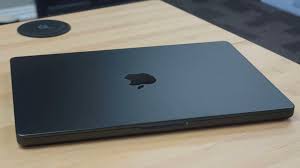
This guide explains why the 14-inch MacBook Pro with Apple’s M5 chip, 24GB of unified memory, and 1TB of storage is one of the safest long-term MacBook purchases you can make right now.
Why “Long-Term Use” Changes the Buying Decision
Most people don’t replace their laptops every year.
Long-term ownership introduces problems that don’t appear immediately:
- Memory pressure as apps evolve
- Storage filling faster than expected
- Thermal throttling during sustained workloads
- Battery degradation combined with heavier software
A MacBook that feels “fast enough” today can feel limiting in 24–36 months if it was configured too conservatively.
That’s where this configuration stands out.
Apple M5: Performance That Ages Well
Apple’s M-series chips aren’t just about peak performance — they’re about efficiency over time.
The M5 chip with a 10-core CPU and GPU delivers:
- Consistent performance during long sessions
- Lower heat output compared to traditional laptops
- Less performance drop-off as software grows more demanding
For long-term use, this matters more than raw benchmark spikes.
The M5 doesn’t rely on aggressive cooling tricks or short bursts — it’s built to sustain workloads year after year.
24GB Unified Memory: The Upgrade That Actually Extends Lifespan
Memory is the #1 long-term bottleneck on modern laptops.
With 24GB of unified memory, you gain:
- Headroom for future macOS versions
- Smooth multitasking with professional apps
- Reduced swap usage (less SSD wear over time)
- Better performance as apps grow more complex
Unified memory is shared by the CPU and GPU, making it more efficient than traditional RAM setups — but once you hit the limit, there’s no upgrading later.
For a 3–5 year ownership window, 24GB is a smart buffer.
1TB SSD: Planning for Real Usage, Not Just Today
Storage fills faster than most people expect.
Between:
- Project files
- Media libraries
- Development environments
- System data growth
A 512GB drive can become tight long before the laptop itself feels slow.
A 1TB SSD gives you:
- Freedom to work locally without micromanaging space
- Faster performance under heavy file operations
- Less dependence on constant external storage
For long-term ownership, storage flexibility reduces friction every single day.

The 14-Inch Form Factor: Longevity Without Bulk
The 14-inch MacBook Pro strikes a rare balance:
- Powerful enough for sustained workloads
- Portable enough for daily carry
- Better thermals than ultraportables
- Less physical fatigue than larger laptops
It’s a size that works for:
- Remote work
- Travel
- Long desk sessions
- Multi-year ownership without compromise
You’re not trading longevity for portability.
Built for Apple Intelligence and Future macOS Updates
Apple’s push toward on-device intelligence makes this configuration especially future-proof.
With the M5 chip:
- More AI features run locally
- Less reliance on cloud subscriptions
- Faster response times
- Better privacy control
As Apple Intelligence expands, machines with stronger local processing will age far better than lower-spec models.
Who This MacBook Pro Is Best For
This configuration is ideal if you:
- Plan to keep your laptop 3–5 years
- Use demanding applications regularly
- Want to avoid mid-cycle upgrades
- Value stability over chasing specs
- Prefer macOS and Apple’s ecosystem
It’s a long-term tool, not a short-term purchase.
Who Might Not Need This Configuration
You may want a different option if you:
- Only browse, stream, and email
- Upgrade devices every 1–2 years
- Are better served by a MacBook Air
- Don’t push your system beyond light workloads
This setup is about longevity — not minimalism.
Final Verdict (Morgan Reed)
If you’re buying a MacBook Pro with the intention of using it for several years, the 14-inch MacBook Pro with the M5 chip, 24GB of unified memory, and 1TB SSD is one of the safest, most balanced choices available.
It avoids the common pitfalls of under-configuring while staying practical in size and performance. For professionals and serious users who want a machine that will remain capable well into the future, this configuration is a smart long-term investment.
Check current pricing and availability
FAQ
Is 24GB of memory really necessary for long-term use?
Yes — especially if you plan to keep the laptop beyond two years.
Will this configuration still feel fast in 4–5 years?
It’s far more likely to age well than lower-memory or lower-storage options.
Is the 14-inch better than the 16-inch for longevity?
For most users, yes — unless you need maximum screen size or cooling headroom.
Is this overkill for casual users?
Yes. This configuration is built for people who rely on their laptop daily.
Affiliate Disclosure
Some links on this site may be affiliate links. If you make a purchase through these links, PrimePeripheral.com may earn a commission at no additional cost to you. This helps support continued testing, research, and content creation.